How to Enable Resource Certification in the LIR Portal
Step1:
Log in to the LIR Portal with a user account that has Administrator privileges and click "Manage Users":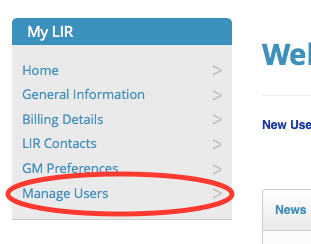
Step 2:
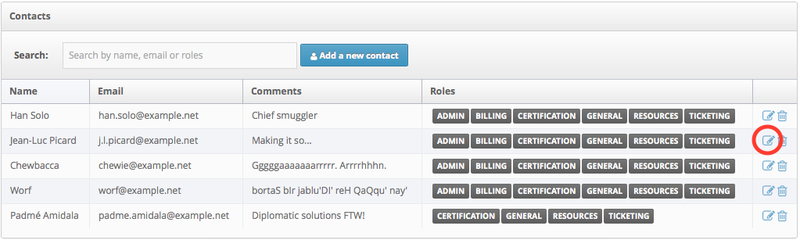
Click the "Edit" icon next to the account for which you want to enable Resource Certification (RPKI):
Step 3:
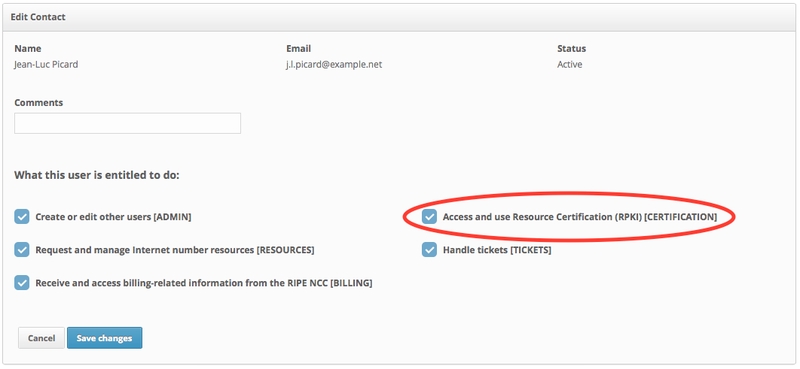
Tick the box next to "Access and use Resource Certification (RPKI)" and click "Save Changes":
Now, when the user who has the service enabled logs in, they will see a "Resource Certification" section in the LIR Portal menu. Click the "RPKI Dashboard" link and accept the Terms and Conditions to get started.